How events work: scoring, rewards, and the Battle Pass
- Most events count your score as soon as you do something that scores. Only Daily Reputation and Ticketed Events need a Join button.
- Claim rewards at once. When an event leaves your Events tab, unclaimed rewards are gone.
Tap the Events button, top right of the map view, to see what is running. Most events need no joining. Your first scoring action counts. Daily Reputation Events and Ticketed Events show a Join button. It lets you decide whether to spend Reputation Points or Uncommon or Rare Event Tickets. Collect rewards right away. Once an event leaves your Events tab, you cannot collect its rewards. Milestone events pay the moment you reach each milestone. Leaderboard events pay only when the event ends. When the event button turns green and says WINNER, tap it. It claims every reward you have and shows a summary.

To get alliance event rewards, you must be in the alliance before the event starts. You must score points in the event. You must stay in the alliance until it ends. If you join or leave during the event, you lose the rewards. Score before your alliance reaches each milestone.
Faction Reputation Events count your points only after you tap Join Now. Automatic enrolment could cost you reputation with a favorite faction, so the choice is yours.
Daily Goals and event scores can take a while to show on screen. The game records the points correctly. Some events have two scoring conditions at once, such as destroying a hostile with a specific Officer or Ship. Only one banner shows, but both are credited. Check the event screen for your real total, not the pop-up banner.
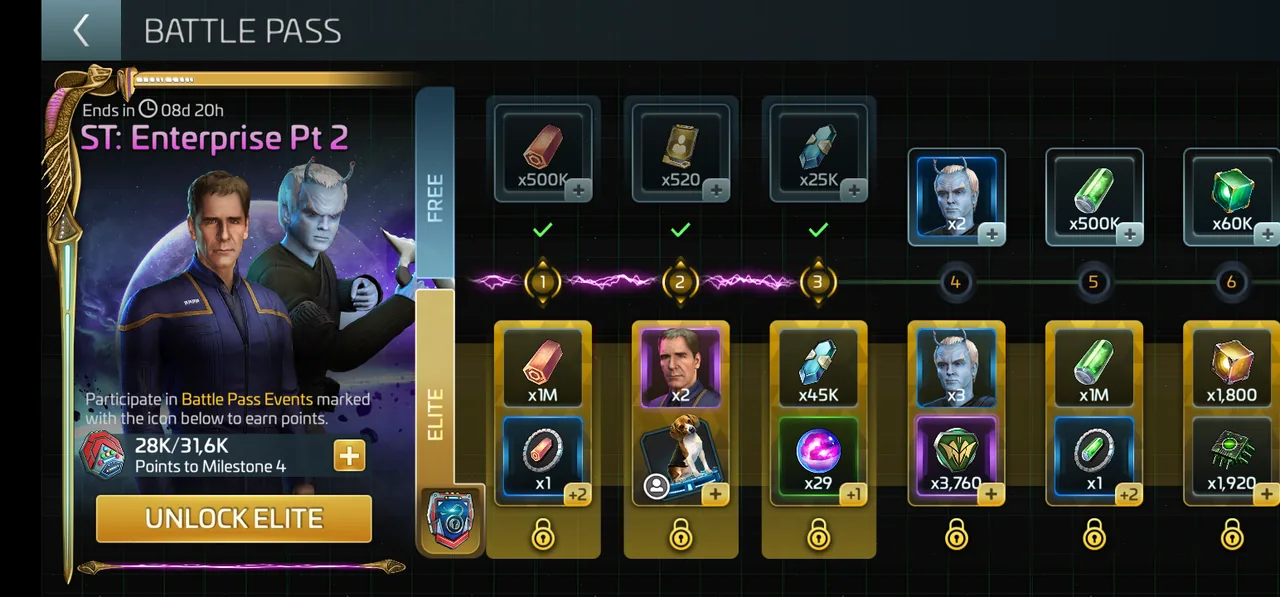
The Battle Pass is an event that runs after every game update. It has a Free Path and an Elite Path. Anyone can use the Free Path. You earn points by completing the special daily events with the Battle Pass icon. You unlock the Elite Path in the Offers tab. A Mythic Path above it is also bought there. Buying the Elite Path instantly unlocks all rewards you already earned on the Free Path. It also adds a higher tier: bonus materials, officer shards, cosmetics and limited-time items.