
Station safety: Peace Shields, Ceasefire, and how Station Combat actually works
- Station Combat unlocks at Ops 15. From then on, other players can attack your station.
- The first attack triggers a free 10-minute Peace Shield, only once every two hours. Use it to buy a longer shield.
- Shields do not stack, and attacking another player's ship or station disables your own shield. Ceasefire after downtime protects your station but not your ships.
Station Combat unlocks at Ops 15. Other players can then attack your station, and you can attack theirs. After the first attack on your station, a free 10-minute Peace Shield starts automatically. It triggers only once every two hours. If several players attack inside that window, only the first attack triggers it. Use those 10 minutes to activate a longer shield.
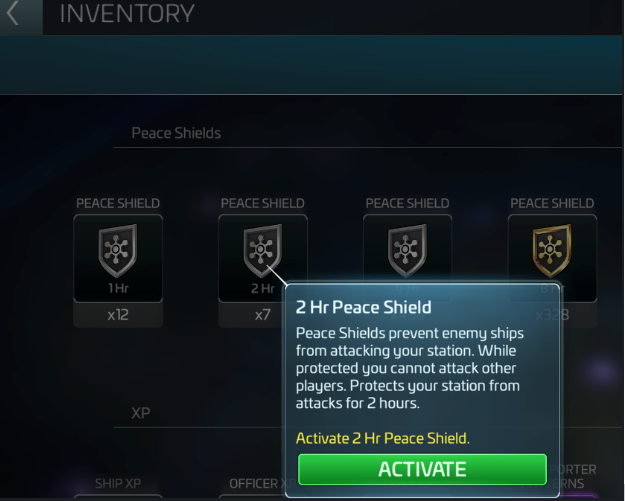
Tap the Shield icon on the right side of the screen. Or open Items, go to the Other tab and select a Peace Shield. Shields come in different lengths. Shields do not stack. A longer new shield overwrites the current one. A shorter one cannot be activated. Attacking another player's ship or station disables your own shield at once. The game warns you first. If you are unsure, restart the app to refresh the timer.
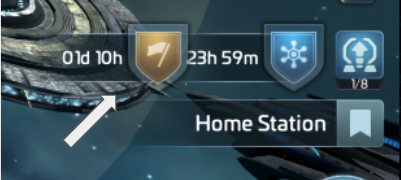
After scheduled downtime, Ceasefire starts automatically. It stops fast log-ins from raiding other stations. It protects your station only, not your ships outside it. Attacking another player's ship, or a ship on a mine, removes your Ceasefire at once, after a warning. If you and your target are both under Ceasefire, Station Combat cannot happen. Peace Shields and Ceasefire work together. Both show in your HUD with their own expiry times.
Your Defense Platforms and your combat-ready docked ships fight the attack. Ships that are away, upgrading or under repair do not take part. A fleet all out mining leaves only the Platforms. If your station is destroyed, the attacker loots part of your resources. Your Resource Vault protects part of them, and upgrading it protects more. If an attacker fails, its ship returns to its owner's Drydock and needs repair.